
Full transparency
How SaveSmart works, step by step
Three steps: build a list, match every item to a catalogue product, and total the basket at each chain. This page sets out exactly what happens at each one, where the prices come from, and how the savings figure is worked out.
The prices shown on this site come from a point-in-time measurement taken on 17/08/2026 from the official price files — they are not live prices.How it works, in four steps
Build a shopping list
Every item enters at 1, and weighed items at 1 kg. Change it with plus / minus.
- Type it in
- Paste from WhatsApp
- Scan a barcode
- Photograph a receipt
Match each item to a catalogue product
By barcode, product name or a known alias. An item we couldn't identify is marked missing — never guessed.
- A confidence score for every match
Compare the basket price at every chain
Out of stock? Pick a substitute, compare without it, or remove it.
- Official price files
Buy in one place, or split
Move items between the lists and send each list on WhatsApp.
- Send on WhatsApp
Building a shopping list
There are four ways to add items. All of them feed the same list, and in all of them the list is shown to you for approval before any comparison runs. Two of them — barcode scanning and photographing a list or receipt (OCR) — are still in development and not available today; they are described here so you know what is planned.
Four ways to add items
Manual entry
Type a product name, a quantity and a unit. This is the most accurate route, because the text is exactly what you meant.
Barcode scan
In development — not availableScan the barcode on the packaging. A barcode is an unambiguous product identifier, which makes it the safest possible match to the catalogue.
Photo of a list or receipt (OCR)
In development — not availablePhotograph a handwritten list or a receipt, and the system extracts the item lines from the image into text you can edit.
The image is deleted as soon as processing finishes and is not stored by us. Only the text extracted from it is kept, in your list.
Pasted text
Paste a list from your notes, from WhatsApp or from an email. The system first works out what kind of text it is — a list, a receipt or a screenshot — and only then splits it into lines.
There is always a review step
Whichever of the four routes you use, the list is shown to you before the comparison runs, and you can correct a product name, a quantity or a unit, add an item or remove one. No item enters the calculation without you having seen it.
Matching every item to a catalogue product
"3 milk" on a handwritten note is not a product. Before a price can be attached to it, it has to become a specific catalogue row — and that matching runs in layers, from exact to approximate.
The matching layers, in this order
Barcode
A match on the product identifier itself. There is no guessing at this layer.
Identical product name
A match on the catalogue product name after the spelling is normalised — vowel marks, quote marks and stray spaces removed.
Known alias
A curated alias table built from what real people actually type, rather than from what is printed on the packaging.
Text similarity
The only inexact layer: we measure how similar your text is to catalogue names, and accept a match only above a pre-set similarity threshold.
Every match carries a confidence score
Every match carries a confidence score and the name of the layer that produced it. A barcode gets the highest score; a similarity match gets the similarity that was actually measured, with nothing flattering added. The score is shown to you rather than hidden, so you can see what the comparison rests on.
An unmatched item is flagged as missing — never guessed
If no catalogue product clears the confidence threshold, the item is flagged in the basket as missing and is not swapped for something else. We do not pick a substitute for you: a silent swap produces a convincing price for a product you did not ask for, and you act on it.
What that means for the basket
When an item is missing, the basket is marked as partial and shown alongside how many of your items were found. If a similar product came close to the threshold, it is offered as a suggestion awaiting your confirmation — and until you confirm it, it stays out of the calculation.
Calculating each chain's basket total and comparing
Each chain's basket is priced separately, from the same official price files and for the same date.
How each chain's basket total is calculated
Each item in your list is priced at the matched product's price in that chain, the price is multiplied by the quantity you asked for, and all the lines are added up. What gets calculated is the published shelf price — no delivery fees, no club discounts, no promotions.
Valid baskets and partial baskets
A chain that has a price for every item in your list gets a valid basket. A chain that is missing a product gets a partial basket, shown with the number of items that were found. We do not fill the gap with an average price, and not with a price from another chain.
How the savings figure is calculated
The method
Saving = the highest valid basket total − the lowest valid basket total
The saving is the difference between the highest valid basket and the lowest valid basket — that is, the gap between the most expensive and the cheapest chain on exactly the same list. Partial baskets are left out of this calculation, so that a complete basket is never compared against one with items missing.
Why we spell the formula out
A savings figure with no explanation of how it was calculated is a figure you cannot rely on. The gap we show is what the data held for your list on the measurement date — it is not a promise, and not a forecast about your next shop.
Our benchmark
How much does the chain you pick really matter?
Sample benchmark from 17/08/2026, a basket of 50 productsWe built a 50-product basket and priced it at 9 chains on the same day, from the official price files. These are the results — one benchmark, on one date.
43%
Gap between the cheapest and the most expensive chain
In this benchmark only, not an average
392.50 ₪
Basket price difference between cheapest and most expensive
On that same basket of 50 products
9
Chains benchmarked
On the same day, from official data
Basket price per chain, cheapest to most expensive
- Position 1Osher AdCheapest in this benchmark521.00 ₪
- Position 2Rami Levy+3.0%536.60 ₪
- Position 3Yohananof+5.9%551.80 ₪
- Position 4Salach Dabach+14.0%594.20 ₪
- Position 5Keshet Teamim+24.7%649.60 ₪
- Position 6Stop Market+37.7%717.40 ₪
- Position 7Fresh Market+46.4%762.50 ₪
- Position 8Tiv Taam+64.3%855.90 ₪
- Position 9Super Yuda+75.3%913.50 ₪
What these numbers do — and do not — mean
This is a single point-in-time benchmark we ran on a specific date with a pre-defined basket. It is not a live figure, not a long-term average, and not a promise — we are not claiming that everyone saves 43%.
Your actual saving depends on what is in your basket, which chains and branches are available near you, and prices on the day you shop. A different basket can show a far smaller gap, and sometimes almost none at all.
Prices were taken from the price files chains publish as required by law, from one representative branch per chain.
One product, every chain
The product we picked for 22/10/2026
Each date gets one product from the pool, by a fixed calculation — and we show what it costs at every chain, using the most recent prices we ingested.
The product picked
טבעול שניצל תירס ללא
- Cheapest chains for this product
- Osher Ad and Rami Levy22.90 ₪
- How much less the product cost at the cheapest chain
- 48.5%
- Of the price at the most expensive chain
- Gap in shekels on a single item
- 21.60 ₪
Price at each chain, cheapest first
- Position 1
 Osher AdCheapest22.90 ₪
 - Position 2
 Rami LevyCheapest22.90 ₪
 - Position 3
 Salach Dabach24.90 ₪
 - Position 4
 Yohananof24.90 ₪
 - Position 5
 Carrefour27.90 ₪
 - Position 6
 Shufersal28.90 ₪
 - Position 7
 Keshet Teamim34.90 ₪
 - Position 8
 Fresh Market37.90 ₪
 - Position 9
 Stop Market39.90 ₪
 - Position 10
 Super Yuda42.90 ₪
 - Position 11
 Tiv Taam44.50 ₪
Prices were ingested on 18/08/2026, 15:14, from one representative branch per chain. They are not updated in real time and are not a promise of the price you will find on your own shop.
Price-controlled products are excluded from the pick: their price is set by regulation and is nearly identical at every chain, so there is nothing to compare.
A wider sample
20 common products, and who's cheapest for each
From the same 17/08/2026 price benchmark, we picked 20 common products and show which of the 9 chains we tested was cheapest for each one.
פיטנס בר גרנולה שוקולד 5*38גרם
7.90 ₪CheapestOsher Adסנו אנטי קאלק מסיר אבן מקומקום 700 מל
6.90 ₪CheapestOsher Adכשל"פ שמרים טריים בקוביה 25 גרם שמרית
1.80 ₪CheapestOsher Adפפסי זירו בקבוק 500 מל
2.90 ₪CheapestOsher Adקראנצי בטעם שיבולת שועל ודבש 210 גר
10.90 ₪CheapestOsher Adפתי בר שוקו 500 גרם
8.90 ₪CheapestOsher Adבייגלה שמיניות ללא גלוטן 250 גרם אסם
9.90 ₪CheapestOsher Ad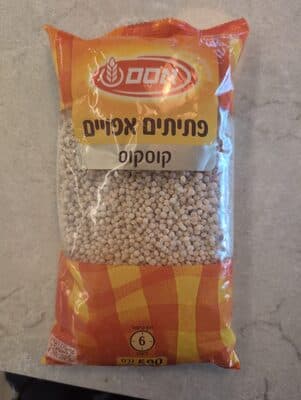
פתיתים אפויים קוסקוס 500 גרם
4.90 ₪CheapestOsher Adמנה חמה נודלס אטר+ירקות טעם עוף 70 גרם
4.90 ₪CheapestOsher Adאבקת רוטב צלי לבשר-22 גרם
3.50 ₪CheapestRami Levy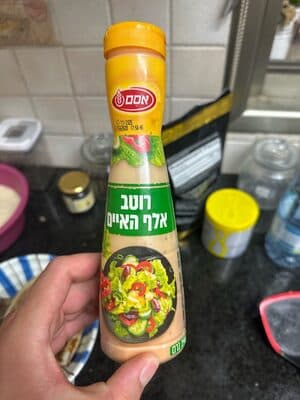
רוטב אלף האיים לסלט 290 מ"ל אסם
8.90 ₪CheapestOsher Adשניצל תירס טבעול ללא גלוטן 664 גר
22.90 ₪CheapestOsher Ad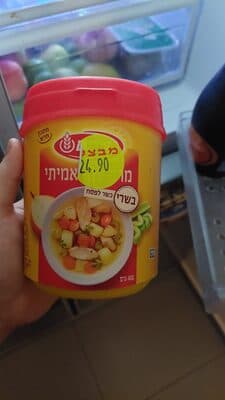
אבקת מרק עוף אמיתי 400 גרם-מיכל
14.90 ₪CheapestOsher Adסירופ מייפל 580 גרם-בקבוק
12.90 ₪CheapestOsher Adסנו אינסטלטור פותח סתימות 200 מ"ל
11.90 ₪CheapestYohananofעוגת בראוניס פרג 380 גרם
14.90 ₪CheapestOsher Adדאודורנט סטיק מלפפון ותה ירוק
14.90 ₪CheapestYohananofפטה ים תיכונית 400 גרם מחלבות יורו
14.90 ₪CheapestRami Levy
בייגלה מקלות מלוחים 400 גרם
8.90 ₪CheapestOsher Ad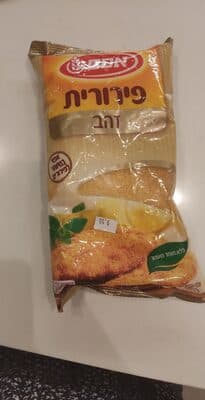
פירורית זהב 350 גרם
7.90 ₪CheapestOsher Ad
What the system does not know — and you should
These are real limits of the data, not small-print legal hedging.
These are published prices, not live prices
Prices are taken from the price files chains are legally required to publish under the Price Transparency Law. They reflect what was published on the measurement date, not necessarily the price at the till when you shop.
Different branches, different prices
The same chain can charge different prices in different branches and different store formats. The comparison is based on one representative branch per chain, so the branch nearest you may be cheaper or more expensive than what is shown.
Promotions and club prices are not included
Published prices do not include buy-one-get-one offers, club discounts, coupons or till discounts. A chain that looks expensive in the comparison can come out cheaper with a promotion that happens to fit your basket.
Price-controlled products barely vary
Products under state price control — milk, cottage cheese and white cheese among them — are priced by regulation, so their price is almost identical everywhere. A basket made up mostly of those will show a very small saving, sometimes none at all.
Every figure on this site is shown together with the date it was measured. A figure without a date is not a figure you can check.
Want to see this on your own list?
Signing up is free and takes under a minute. Some capabilities are still in development, and we say plainly which are live and which are not.